PulseAugur
实时 11:02:05
English(EN) How to Connect Claude to Your WordPress Site in 5 Minutes

Claude AI现可通过SproutOS插件直接编辑WordPress网站

一份新指南详细介绍了如何将AI模型Claude直接连接到WordPress网站,使其能够读取和编辑网站内容。此集成绕过了传统的描述问题并接收代码片段的方法,由于AI缺乏直接的网站访问权限,这通常会导致错误。该过程包括在WordPress上安装SproutOS插件,生成安全的应用程序密码,并使用网站的URL和密码配置Claude Desktop或类似的客户端。该指南强调,在允许Claude进行更改之前,应先以只读模式开始以确保安全。 AI

影响 使WordPress用户能够直接进行AI内容管理,从而简化网站更新和开发。

排序理由 该项目描述了一种将现有AI模型与流行的内容管理系统集成的方法,这是一种产品集成,而不是新的模型发布或核心研究。

在 dev.to — MCP tag 阅读 →

AI 生成摘要 · Google Gemini · 来自 1 个来源。 我们如何撰写摘要 →
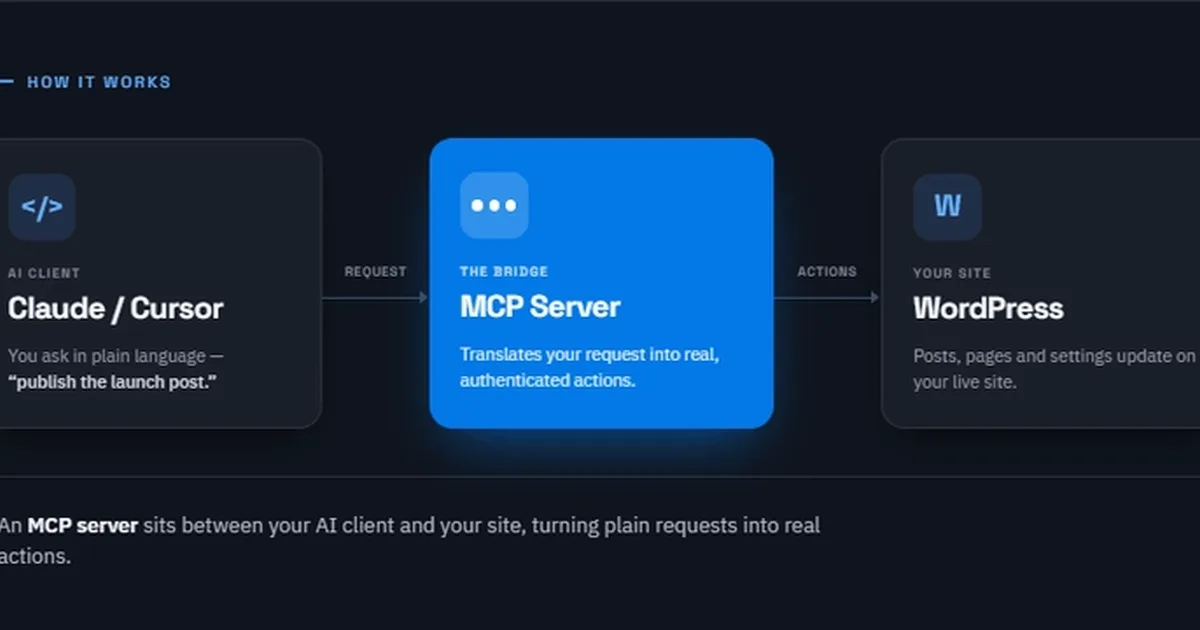
Claude AI现可通过SproutOS插件直接编辑WordPress网站

报道来源 [1]

  1. dev.to — MCP tag TIER_1 English(EN) · Siddharth Chudasama ·

    5分钟将Claude连接到你的WordPress网站

    <p>If you have ever asked Claude to help with WordPress, you know the routine. You describe the problem, Claude writes some code without seeing your actual site, you paste it into WordPress, test it, and half the time something breaks because the AI was guessing about your theme …