PulseAugur
EN
LIVE 12:35:14

Red USB ports usually mean faster speeds or always-on power

Red USB ports, while not standardized, typically signify enhanced features such as faster data transfer speeds or always-on charging capabilities. These ports often adhere to USB 3.2 or 3.1 Gen 2 standards, offering speeds up to 20 Gbps, and are commonly found on higher-end devices like gaming laptops and motherboards. To confirm the specific function of a red USB port, users should consult their device's manual or look for symbols like 'SS' for SuperSpeed or a lightning bolt for always-on functionality. AI

RANK_REASON Article explains a common hardware feature and its implications for users.

Read on Engadget →

AI-generated summary · Google Gemini · from 1 sources. How we write summaries →
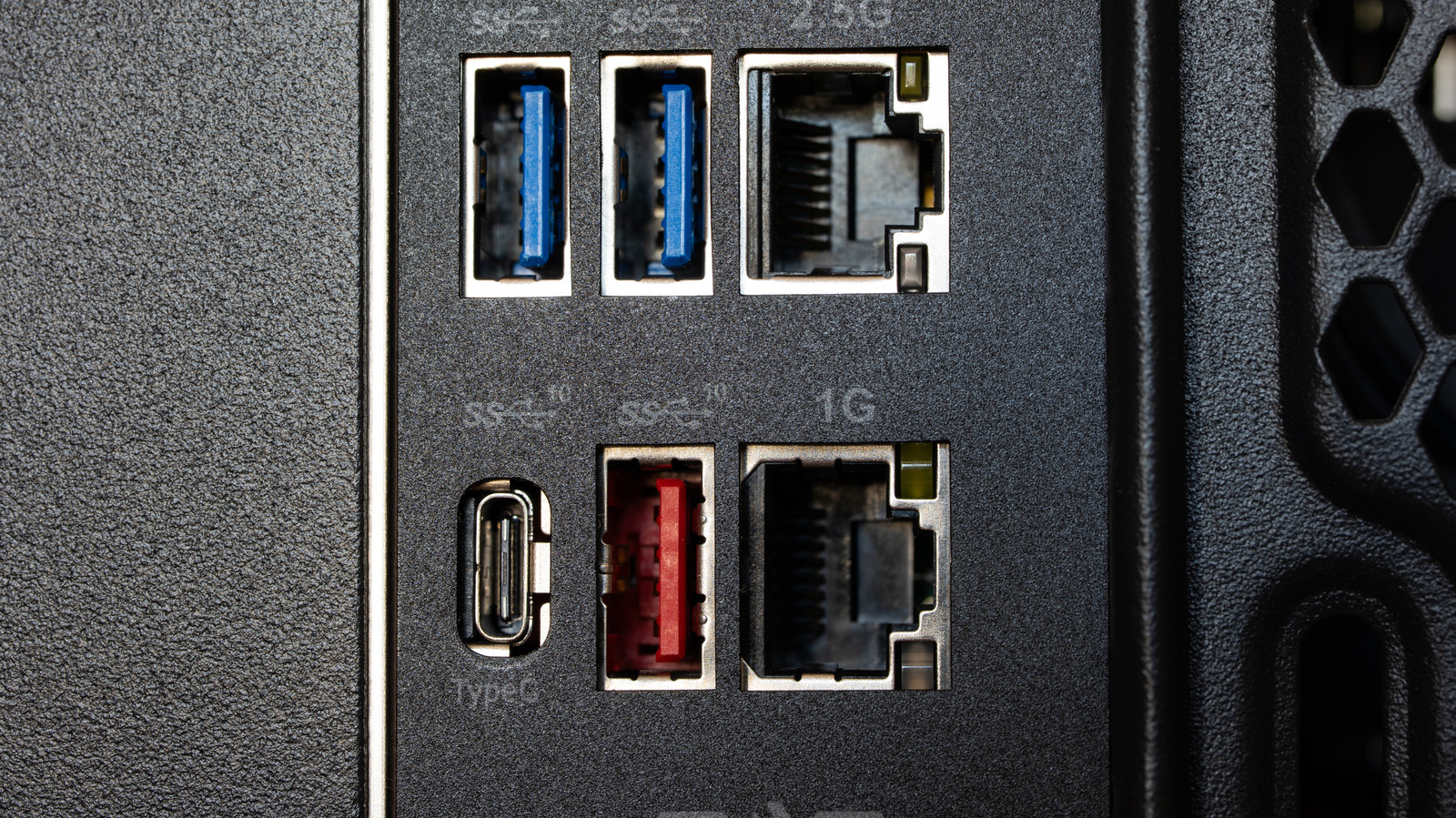
Red USB ports usually mean faster speeds or always-on power

How we ranked this

Signal score
0 / 100
Composite score across the factors below. Higher = stronger signal that this story matters right now.
Newsworthiness bucket
Tool
Article explains a common hardware feature and its implications for users.
Source corroboration
Single-source cluster
Only one publisher covered this so far. Single-source stories can still rank when the publisher is high-authority, but they lack cross-source corroboration.
Topics
product, infra
Editorial topic classification. Feeds into how the story surfaces on /topic/<slug> hub pages and into the per-entity coverage mix.
AI-industry relevance
Low
Off-topic or adjacent — cluster remains reachable but doesn't surface in AI-industry rankings.
Story freshness
3 days old
Aged out of breaking-news scoring windows; ranking reflects the durable signal from the full source set.

Full methodology in our editorial standards.

COVERAGE [1]

  1. Engadget TIER_1 English(EN) · [email protected] (Robin Bea) ·

    Common reasons why some USB ports are red

    There's no universal standard for the meaning of USB colors, but red ports often indicate a few similar things.