PulseAugur
EN
LIVE 19:45:05
Deutsch(DE) Schwerpunkt 1 Lokales Speech to Text in Linux Mint einrichten: Auf Knopfdruck (beliebiger Shortkey) das Diktat starten & beenden, in jeder beliebigen Anwendung.

Linux Mint users can now set up local speech-to-text with custom shortcuts

This article details how to set up local speech-to-text functionality on Linux Mint. It explains how to initiate and terminate dictation with a custom keyboard shortcut, enabling its use within any application. AI

IMPACT Enables users to integrate speech-to-text functionality directly into their operating system for enhanced productivity.

RANK_REASON The article describes a technical setup for a specific operating system feature, which falls under the 'tool' category.

Read on Mastodon — fosstodon.org →

AI-generated summary · Google Gemini · from 1 sources. How we write summaries →
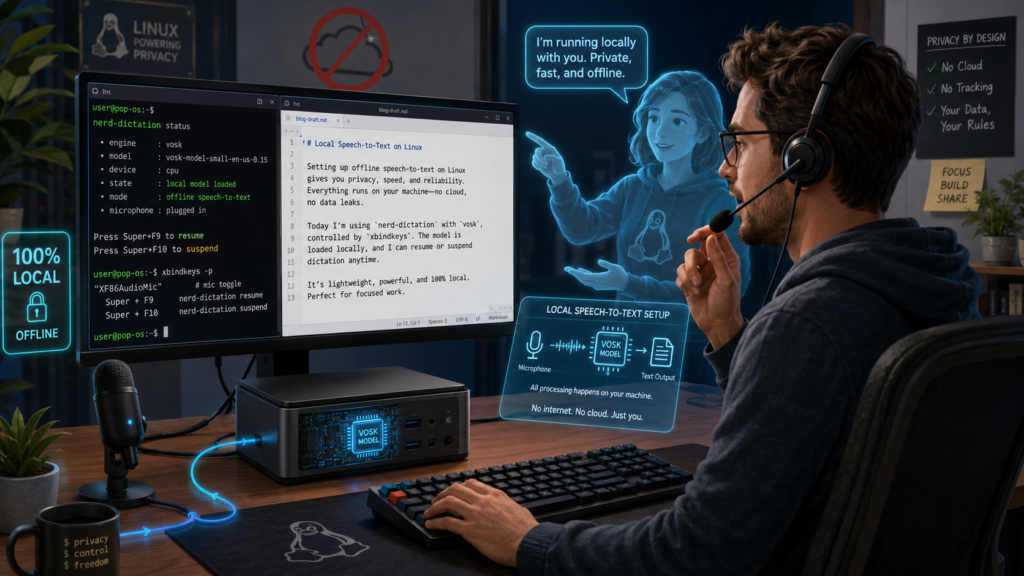
Linux Mint users can now set up local speech-to-text with custom shortcuts

COVERAGE [1]

  1. Mastodon — fosstodon.org TIER_1 Deutsch(DE) · [email protected] ·

    Focus 1 Setting up Local Speech to Text in Linux Mint: Start & stop dictation at the push of a button (any shortkey), in any application.

    Schwerpunkt 1 Lokales Speech to Text in Linux Mint einrichten: Auf Knopfdruck (beliebiger Shortkey) das Diktat starten & beenden, in jeder beliebigen Anwendung. Keine Cloud, kein mithörender Datenkrake, nur 4-6 GB im RAM. Schwerpunkt 2 Wie mir KI (GPT) geholfen hat, das alles hin…