PulseAugur
EN
LIVE 06:42:28

Zoom's AI Companion panel angers users with intrusive design

A user expressed frustration with Zoom's new "AI Companion" feature, which occupies a significant portion of the application screen and cannot be easily disabled within the app. The user had to log into the Zoom website to adjust settings, leading to a negative perception of AI integration. AI

IMPACT User frustration with intrusive AI features may slow adoption.

RANK_REASON User complaint about a product feature, not a significant industry event.

Read on Mastodon — fosstodon.org →

AI-generated summary · Google Gemini · from 1 sources. How we write summaries →
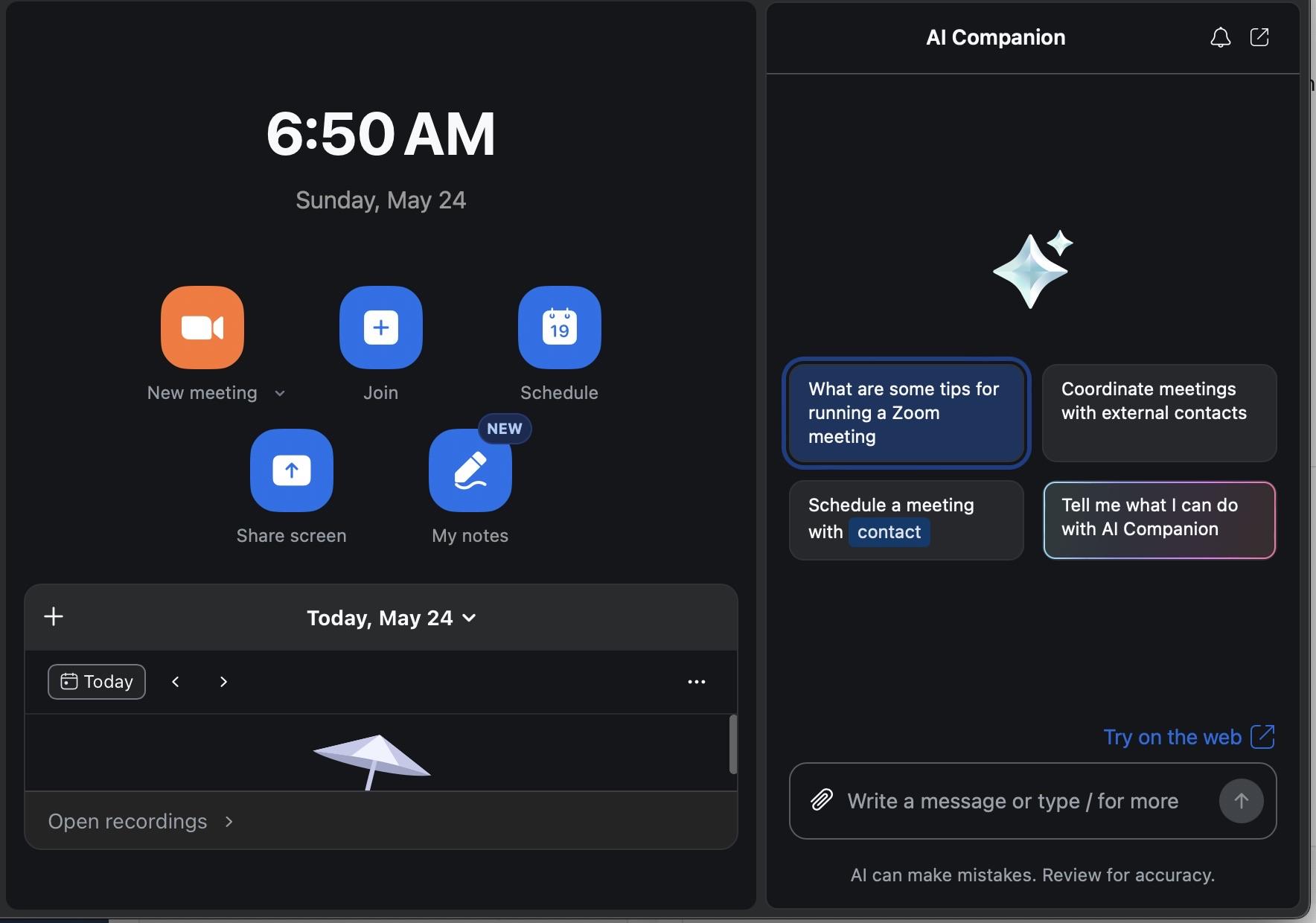
Zoom's AI Companion panel angers users with intrusive design

How we ranked this

Signal score
0 / 100
Composite score across the factors below. Higher = stronger signal that this story matters right now.
Newsworthiness bucket
Meme
User complaint about a product feature, not a significant industry event.
Source corroboration
Single-source cluster
Only one publisher covered this so far. Single-source stories can still rank when the publisher is high-authority, but they lack cross-source corroboration.
Topics
product, opinion
Editorial topic classification. Feeds into how the story surfaces on /topic/<slug> hub pages and into the per-entity coverage mix.
AI-industry relevance
Standard
On-topic for AI-industry coverage; kept in the public index.
Story freshness
134 days old
Aged out of breaking-news scoring windows; ranking reflects the durable signal from the full source set.

Full methodology in our editorial standards.

COVERAGE [1]

  1. Mastodon — fosstodon.org TIER_1 English(EN) · [email protected] ·

    Dear Zoom, In what world would you think I would want an “AI Companion” panel *taking up almost half the application screen*? And that apparently *I cannot turn

    Dear Zoom, In what world would you think I would want an “AI Companion” panel *taking up almost half the application screen*? And that apparently *I cannot turn off* in the application settings itself… and instead have to login to the Zoom website to go into the settings *there* …