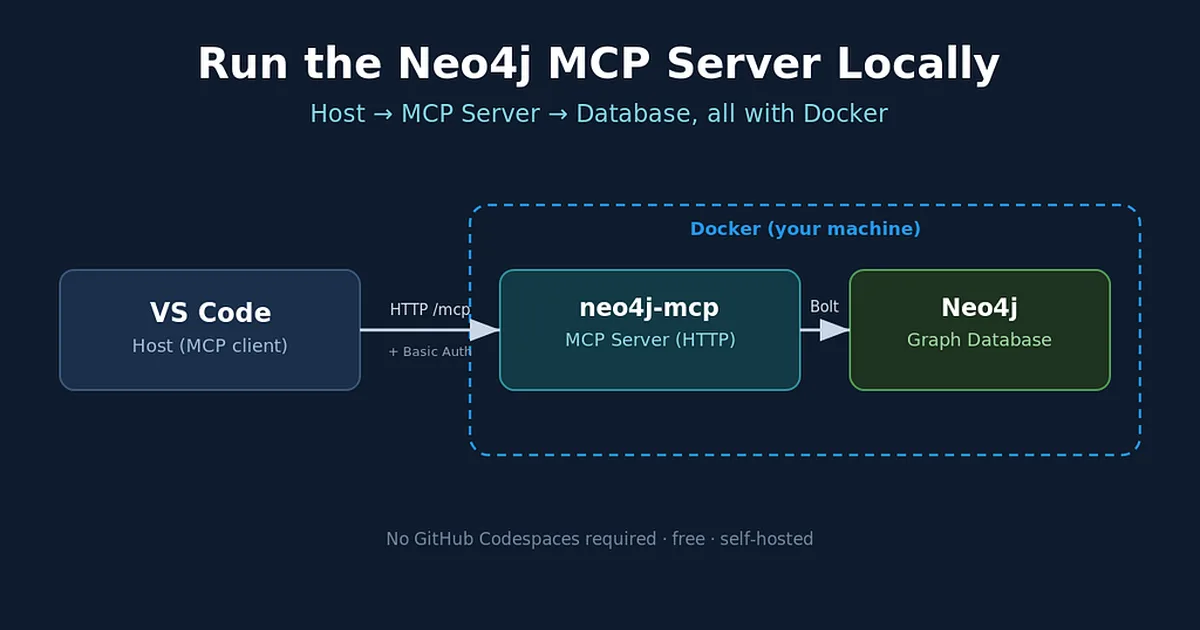
This guide provides instructions on how to run Neo4j's official MCP server locally using Docker, bypassing the need for GitHub Codespaces. The setup involves three components: a client like VS Code, the neo4j-mcp server acting as a bridge, and the Neo4j database itself. The process requires Docker Desktop and VS Code with MCP support, and can be completed in approximately 30 minutes by creating a docker-compose.yml file to orchestrate the Neo4j database and the MCP server. AI
IMPACT Enables developers to run Neo4j's MCP server locally for graph exploration, bypassing cloud dependencies.
RANK_REASON Guide on using Docker to run a specific software server locally.
AI-generated summary · Google Gemini · from 1 sources. How we write summaries →