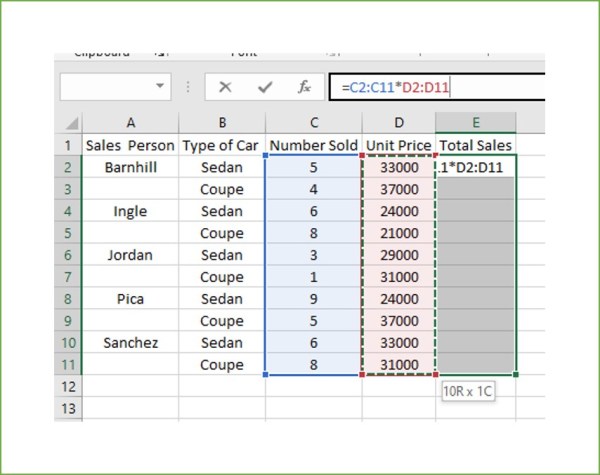
From Cell References to Meaningful Names and Arrays To select a range of cells To select cell A1 in the active worksheet, press ctrl + home select the first cel
This article explains how to use named ranges and arrays in spreadsheet software like Excel to improve data management and calculations. Named ranges allow users to assign descriptive labels to cells or groups of cells, making formulas more readable and easier to use. The guide details methods for creating named ranges, including using the Name Box, Formulas tab, and Name Manager. It also introduces arrays as collections of values that can be processed together in a single formula, enabling complex calculations across multiple cells simultaneously, with a specific example of a dynamic array formula. AI