PulseAugur / Brief
EN
LIVE 22:57:28

Brief

last 24h
[8/8] 221 sources

Multi-source AI news clustered, deduplicated, and scored 0–100 across authority, cluster strength, headline signal, and time decay.

  1. How I accelerated frontend development using AI tools and Figma's MCP

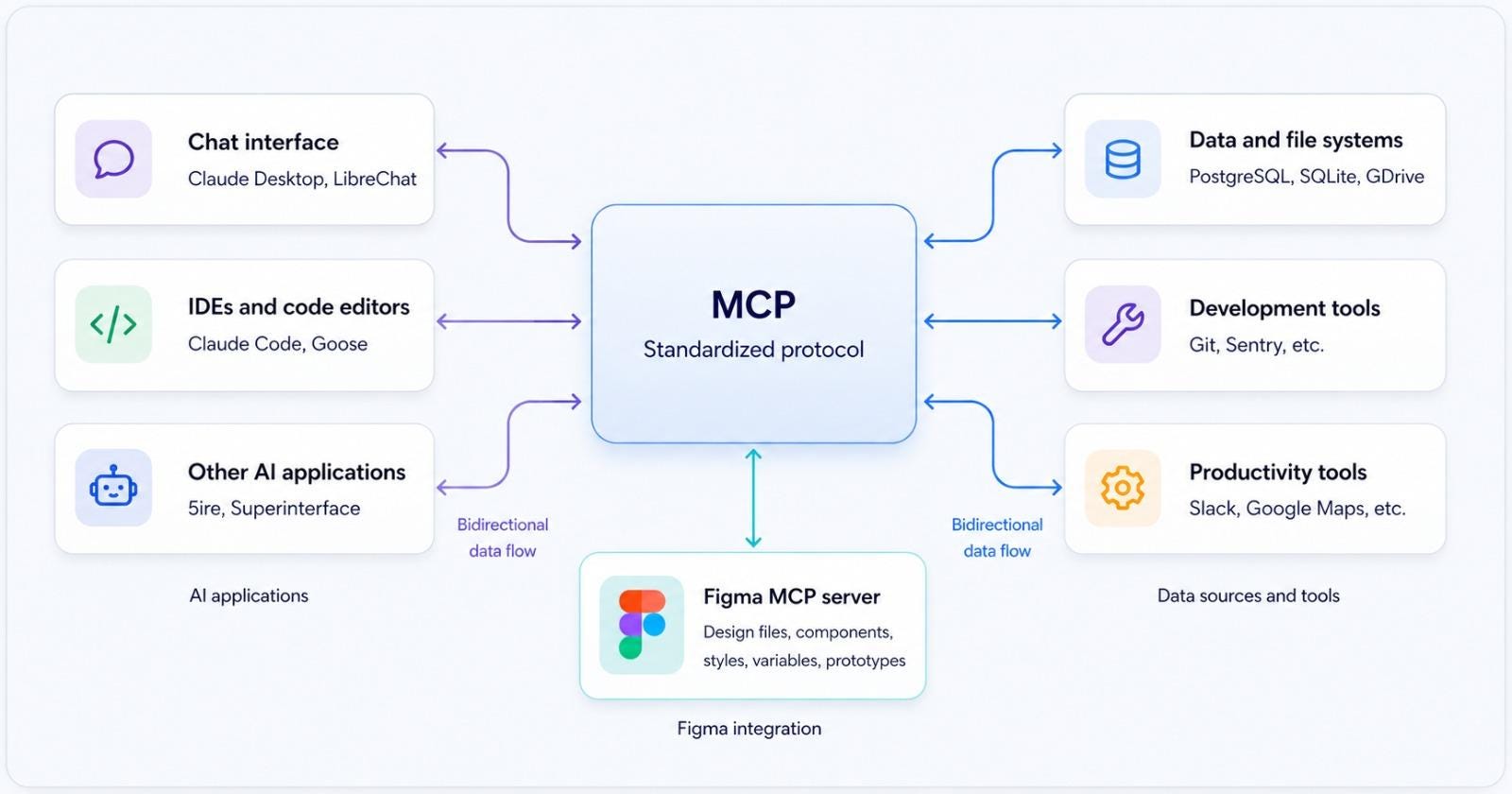
    This article details a workflow for accelerating frontend development using AI tools, emphasizing the importance of providing context and clear instructions to AI agents. The author suggests treating AI as an integrated part of the engineering process, using project-specific instruction files (like AGENTS.md for Codex or CLAUDE.md for Claude) to guide AI behavior. Integration with Figma's MCP (Multi-Component Protocol) is highlighted as a method to provide design context, such as screen structure and element properties, to AI agents, thereby reducing friction between design and implementation. AI

    IMPACT Enhances developer productivity by integrating AI into the frontend workflow, reducing friction between design and code.
  2. Figma Killers: The New War for Design Workflow

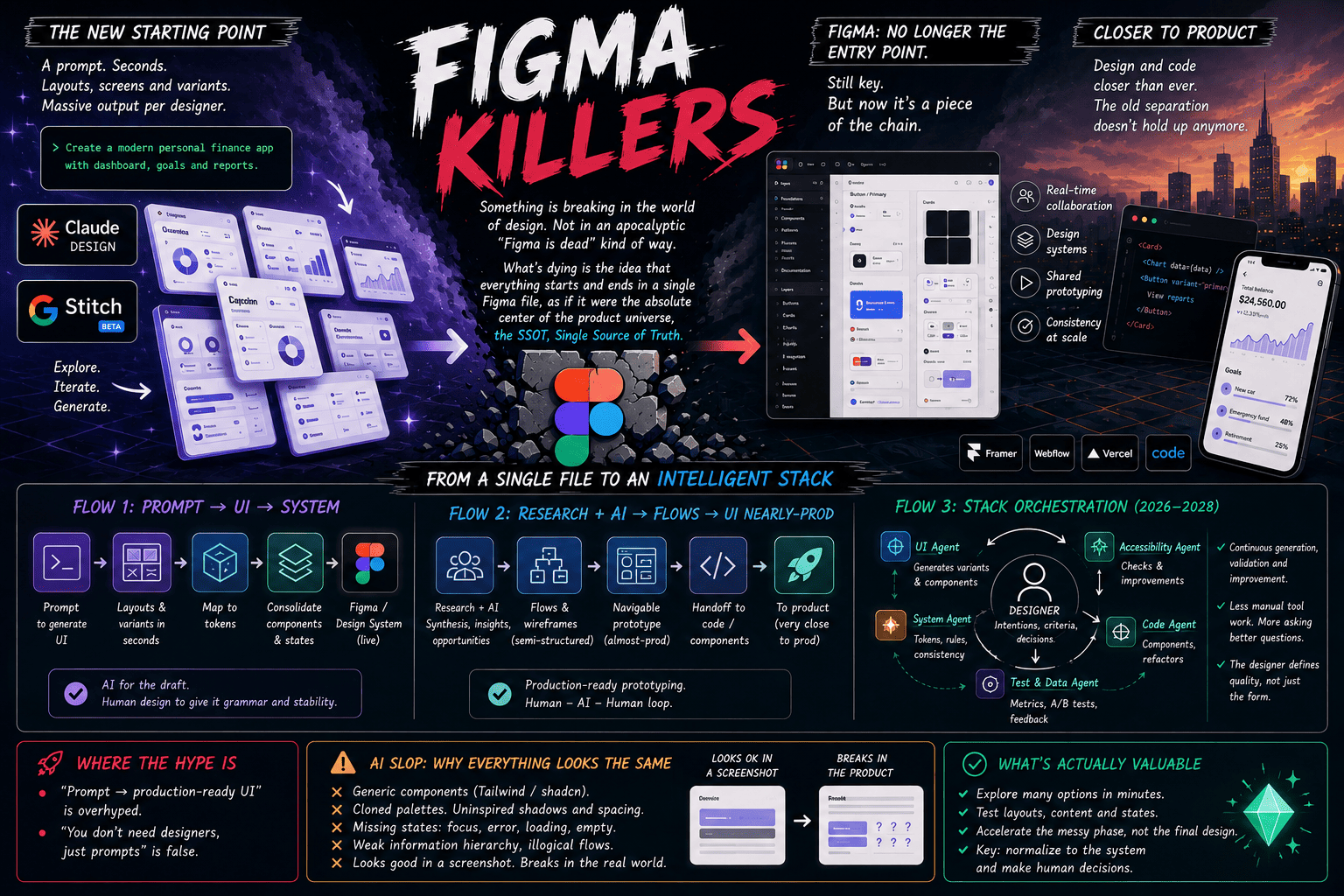
    The design software landscape is experiencing a significant shift, with new tools emerging to challenge established platforms like Figma. This evolving market is driven by advancements in AI and a demand for more integrated and efficient design workflows. While Figma remains a dominant force, the emergence of these "Figma killers" signals a competitive future for design tools. AI

    Figma Killers: The New War for Design Workflow

    IMPACT Emerging AI-powered design tools are poised to disrupt the market and offer new workflows for designers.

  3. Claude Design is NOT a Figma Killer

    A designer's perspective suggests that Claude Design, while a useful tool, does not pose a threat to Figma's dominance in the design space. The author notes that Claude Design excels at generating initial design concepts and wireframes, but lacks the robust features and collaborative capabilities necessary for professional, end-to-end design workflows. Figma remains the industry standard due to its comprehensive feature set and established ecosystem. AI

    Claude Design is NOT a Figma Killer

    IMPACT Offers a user perspective on the capabilities of an AI design tool relative to established software.

  4. How I Started Learning MCP with Figma and Claude as a UI/UX Designer

    A UI/UX designer shares their experience learning about "MCP" (Multi-modal Conversational Processing) using tools like Figma and Anthropic's Claude. The designer found Claude to be a valuable assistant in understanding and applying MCP concepts to their work. AI

    How I Started Learning MCP with Figma and Claude as a UI/UX Designer

    IMPACT Offers a user perspective on how AI assistants can aid in learning complex technical concepts.

  5. Figma adds an AI assistant to its collaborative canvas

    Figma has launched a new AI assistant integrated directly into its collaborative design software. This AI agent can generate and edit designs based on natural language prompts, and automate tasks like creating design iterations. The assistant is fine-tuned on design-specific models to understand design contexts and elements, aiming to streamline the creative process for teams. AI

    Figma adds an AI assistant to its collaborative canvas

    IMPACT Enhances design workflows by automating tasks and enabling AI-assisted creation, potentially increasing productivity for design teams.

  6. Experiment: Figma to Replit Plugin

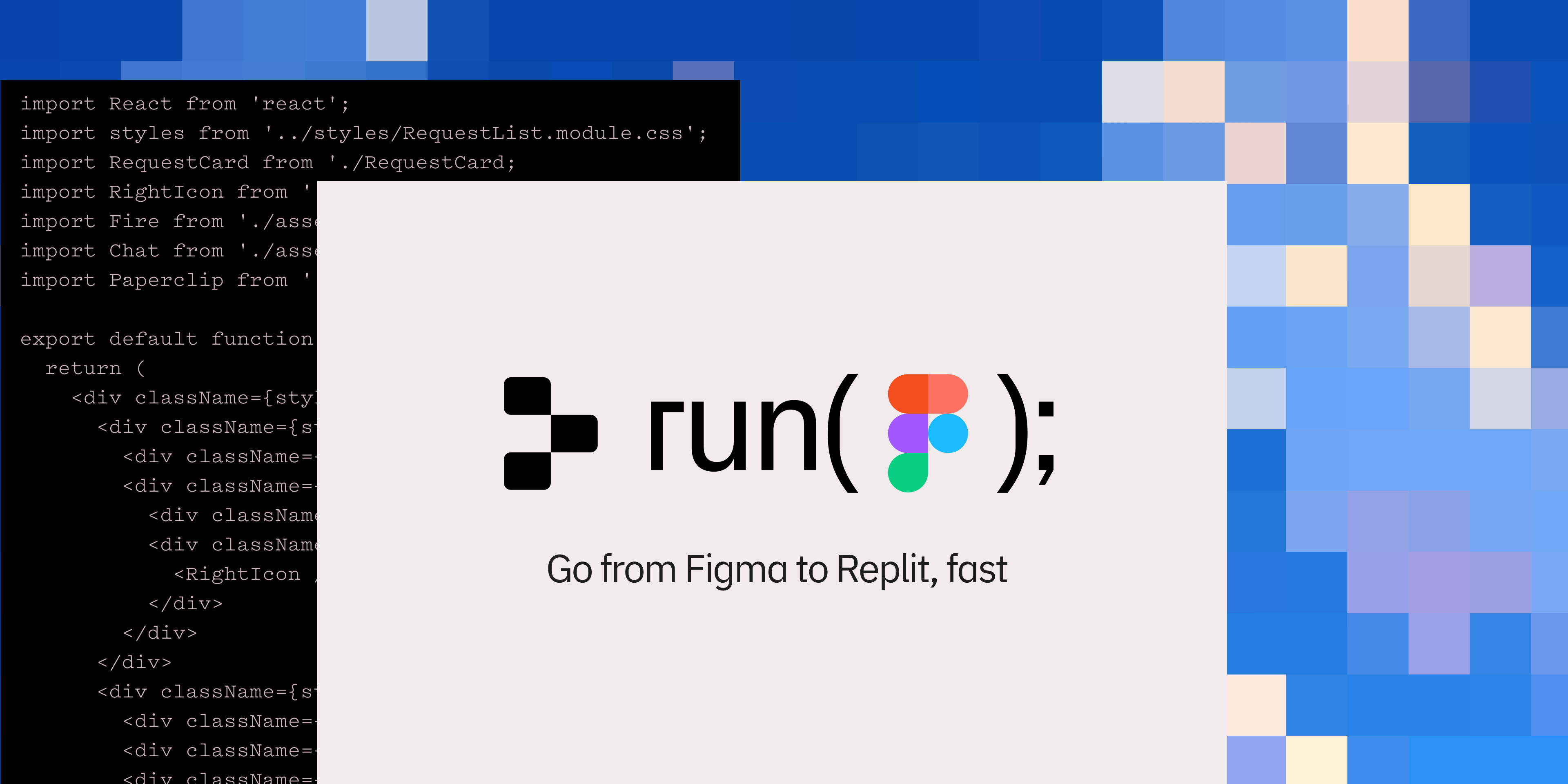
    Replit has launched Replit Import, a new feature allowing users to transform designs from tools like Figma, Lovable, and Bolt into functional applications. This import process is enhanced by Replit Agent, which can generate backend code and deploy applications, aiming to streamline the workflow from design to production. Additionally, Replit has released an experimental Figma to Replit plugin that generates responsive HTML, CSS, and React code from Figma designs, enabling quick prototyping and sharing of static frontend applications. AI

    Experiment: Figma to Replit Plugin

    IMPACT Accelerates prototyping and production deployment by integrating AI-powered code generation from design inputs.

  7. My Experience as a Replit Design Intern

    Three individuals shared their internship experiences at Replit, highlighting diverse roles and significant contributions. Nathan, a technical intern, focused on code search and frontend engine improvements, learning new libraries and collaboration tools like Graphite. Lily, a community intern, managed moderation, organized events, and engaged with influencers, contributing to over 1,000 toxic account takedowns. Clément, a design intern, revamped interfaces, designed new features like the following feed, and shipped over 200 PRs, gaining experience in Figma, React, and the company's design system. AI

    My Experience as a Replit Design Intern

    IMPACT Provides insight into the practical application of skills and team collaboration within an AI-adjacent tech company.

  8. Announcing Replit Ventures

    Replit has launched its Replit Ventures program, an incubator designed to support startups and creators. The program has evolved significantly since its inception, with the 2022 cohort (RV1) expanding to 12 teams, each receiving a $10,000 grant, mentorship, and access to tools from partners like Stripe, Notion, and Figma. This initiative aims to empower individuals globally to build and launch their ideas, with a focus on accessibility and providing resources for entrepreneurial endeavors. AI

    Announcing Replit Ventures

    IMPACT Accelerates development for emerging startups by providing crucial funding, mentorship, and tools.