PulseAugur / Brief
EN
LIVE 14:55:37

Brief

last 24h
[11/11] 221 sources

Multi-source AI news clustered, deduplicated, and scored 0–100 across authority, cluster strength, headline signal, and time decay.

  1. I hated multitasking on my Pixel — until I tried Android 17’s app bubbles These are the bubbles I don't want to burst. https://www. androidauthority.com/android

    Android 17 is introducing a new multitasking feature called "app bubbles" that aims to improve the user experience on Pixel devices. This feature allows users to manage multiple applications more efficiently, potentially changing how users interact with their phones. The initial reception suggests a positive shift in user perception regarding multitasking capabilities. AI

    IMPACT This feature primarily impacts user interface and multitasking efficiency, with no direct AI implications.

  2. Android 17 QPR1 Beta 3 reveals new screenshot buttons, likely for Aluminium OS The new clipboard and folder shortcuts in the screenshot overlay may not be inten

    The Android 17 QPR1 Beta 3 update has introduced new screenshot overlay buttons that may be intended for a future operating system. These new shortcuts for clipboard and folder access suggest a potential integration with a new OS, possibly named Aluminium OS. The discovery was made through an APK teardown of the latest beta release. AI

    IMPACT This is a minor UI change in an operating system update and has no direct impact on AI operators.

  3. Android 17 cracks down on shady apps that play surprise background audio Apps will need to be actively in use or implement approved background services to contr

    Google's upcoming Android 17 operating system will introduce stricter controls on background audio playback. Apps will be required to be actively in use or utilize approved background services to manage audio. This change aims to prevent intrusive and unexpected audio from apps running in the background. AI

    Android 17 cracks down on shady apps that play surprise background audio Apps will need to be actively in use or implement approved background services to contr
  4. Android 17 gets a smarter media switcher, and it already feels better than the old carousel No more swiping around and accidentally fast forwarding your music.

    Android 17 is introducing a new media switcher designed to improve user experience by eliminating the need for excessive swiping. This updated interface aims to prevent accidental skips or fast-forwards of media playback. The change is part of the ongoing development for the next iteration of the Android operating system. AI

    IMPACT Minimal impact on AI operators; this is a user interface improvement for a mobile operating system.

  5. Android 17 QPR1 Beta 3 finally enables partial screenshots, but not for everyone The feature is available only on devices with a large screen, and forcefully en

    Android 17 QPR1 Beta 3 has introduced a partial screenshot feature, though its availability is limited to devices with larger screens. Attempts to force-enable this functionality on smaller devices can lead to UI disruptions, specifically within the toolbar. This update focuses on enhancing screenshot capabilities within the Android operating system. AI

    IMPACT This update introduces a minor UI enhancement to Android, with no direct impact on AI operations or capabilities.

  6. Android 17’s Live Updates will be a boon for workout and travel apps The new Metric Style notification template for Live Updates brings the focus to real-time r

    Google's upcoming Android 17 operating system will introduce a new feature called Live Updates. This enhancement aims to provide users with real-time data directly on their lock screens, particularly benefiting applications like workout trackers and travel planners. The feature utilizes a Metric Style notification template to display raw, up-to-the-minute information. AI

    Android 17’s Live Updates will be a boon for workout and travel apps The new Metric Style notification template for Live Updates brings the focus to real-time r

    IMPACT Enhances user experience for apps by providing real-time data directly on the lock screen.

  7. Here’s a closer look at how Android 17’s OS verification is going to work Android 17 will let you use one device to verify the other's software. https://www. an

    Android 17 is introducing a new OS verification feature that allows users to verify the software on one device using another device. This system aims to enhance security and trust between devices within the Android ecosystem. The implementation details suggest a peer-to-peer verification process. AI

    Here’s a closer look at how Android 17’s OS verification is going to work Android 17 will let you use one device to verify the other's software. https://www. an

    IMPACT This feature enhances the security and user experience of the Android operating system, but does not directly impact core AI development or deployment.

  8. Android 17 could let you disable Gboard’s most annoying feature You could finally be able to get rid of that globe icon. https://www. androidauthority.com/andro

    Android 17 may offer users the ability to disable the Gboard globe icon, a feature that has long been a point of annoyance for many. This potential change, reported by Android Authority, could provide a cleaner user interface for those who find the icon intrusive. The update would allow for greater customization of the keyboard experience on Android devices. AI

    IMPACT Minimal impact for AI operators; this is a user interface tweak for a keyboard application.

  9. Google announces Wear OS 7

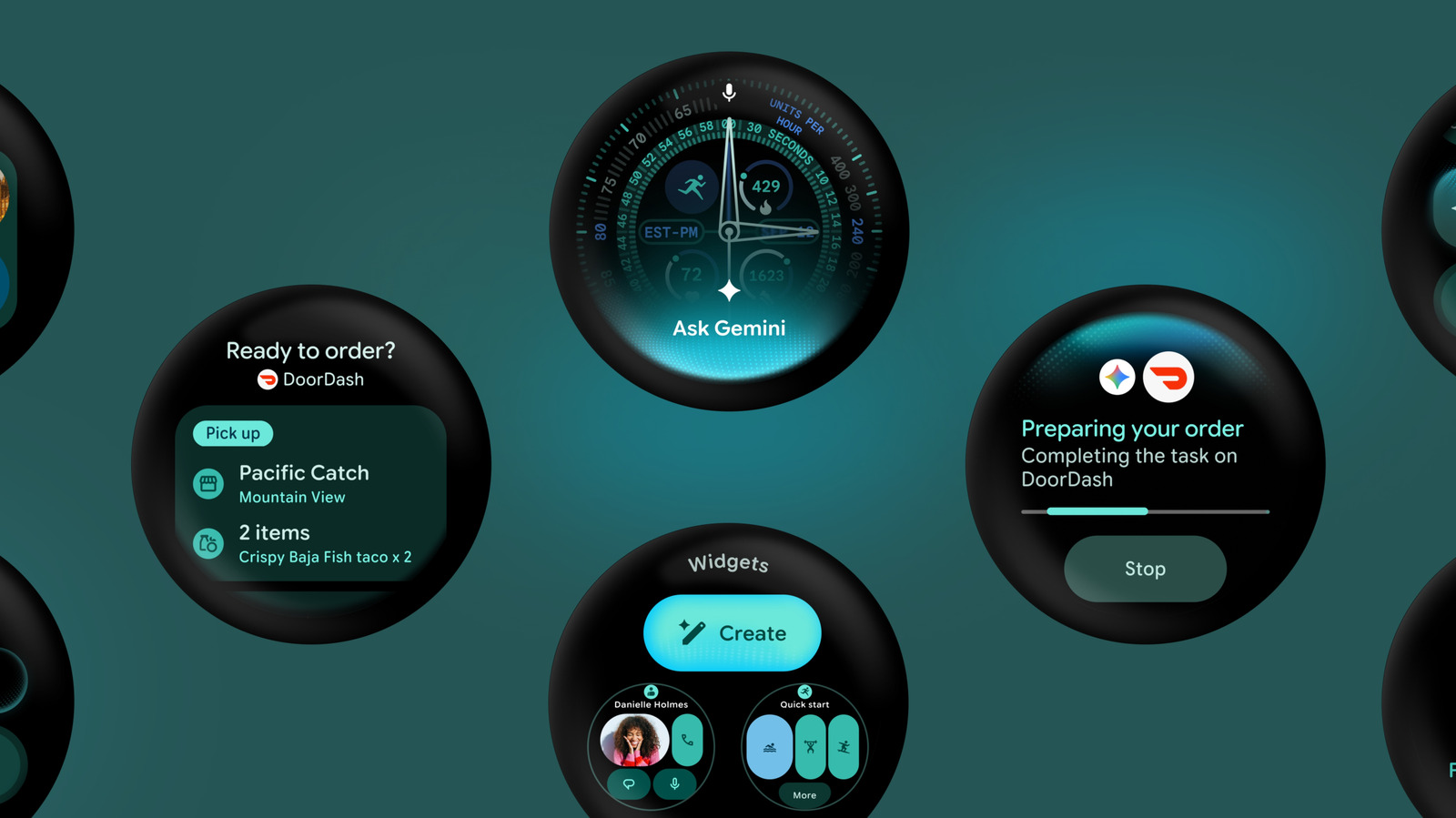
    Google has announced Wear OS 7, an update to its smartwatch operating system that integrates Gemini Intelligence and introduces a new widget system. This update brings dynamic and customizable widgets, similar to those on smartphones, and includes APIs for developers to connect their apps with Gemini. Wear OS 7 also features live updates and an improved default workout tracker, with a test version available now ahead of its release later this year. AI

    Google announces Wear OS 7

    IMPACT Integrates Gemini AI into wearables, potentially enabling more sophisticated on-device agentic experiences and personalized features.

  10. Android 17 is getting its own version of Apple’s Handoff At launch, Continue On will only allow you to move tasks from a phone to a tablet. | Image: Google Goog

    Google is introducing a new feature called "Continue On" for Android 17, which mirrors Apple's Handoff functionality. Initially, this feature will enable users to seamlessly transfer tasks between their Android phone and tablet. This move aims to enhance ecosystem continuity across Android devices. AI

    Android 17 is getting its own version of Apple’s Handoff At launch, Continue On will only allow you to move tasks from a phone to a tablet. | Image: Google Goog

    IMPACT Minimal direct impact for AI operators; focuses on OS-level task continuity.

  11. Google To Change Search On Pixel Phones After 10 Years With New Setting, Report Claims

    Google is significantly enhancing Android's security and privacy features with Android 17, introducing AI-powered protections like Live Threat Detection and stricter app permission controls. The update will also bring advanced data protection for stolen phones and improved Chrome security against malicious APKs. Additionally, Google is expanding AI features like the Pixel's "Take A Message" voicemail transcription to more Android phones and integrating Gemini AI across various Google products, including Google Play, smart home devices, and Google TV for smarter content discovery and streamlined development processes. AI

    Google To Change Search On Pixel Phones After 10 Years With New Setting, Report Claims

    IMPACT Google is integrating Gemini AI across its ecosystem, enhancing security, app discovery, and user experience, signaling a broader push for AI in everyday devices and services.